A few weeks ago I decided to run a proper marketing campaign for my consultancy. I had a goal (find a new client), a rough idea of the channels (LinkedIn and Substack) and knew about an interesting new tool I wanted to try.
Earlier this year, Anthropic released industry-specific skills for Cowork that wiped nearly $1 trillion off legal, financial, and marketing software stocks. I was curious whether a $20/month tool could actually do what those companies charge thousands for. So instead of hiring a marketing consultant or spending days on a strategy doc, I used one of Cowork’s pre-built marketing skills, which is a structured workflow that walks you through building a campaign plan.
This article is about what that process looked like, what Cowork did well, where I had to push back, and what I’d do differently next time.
How the planning worked
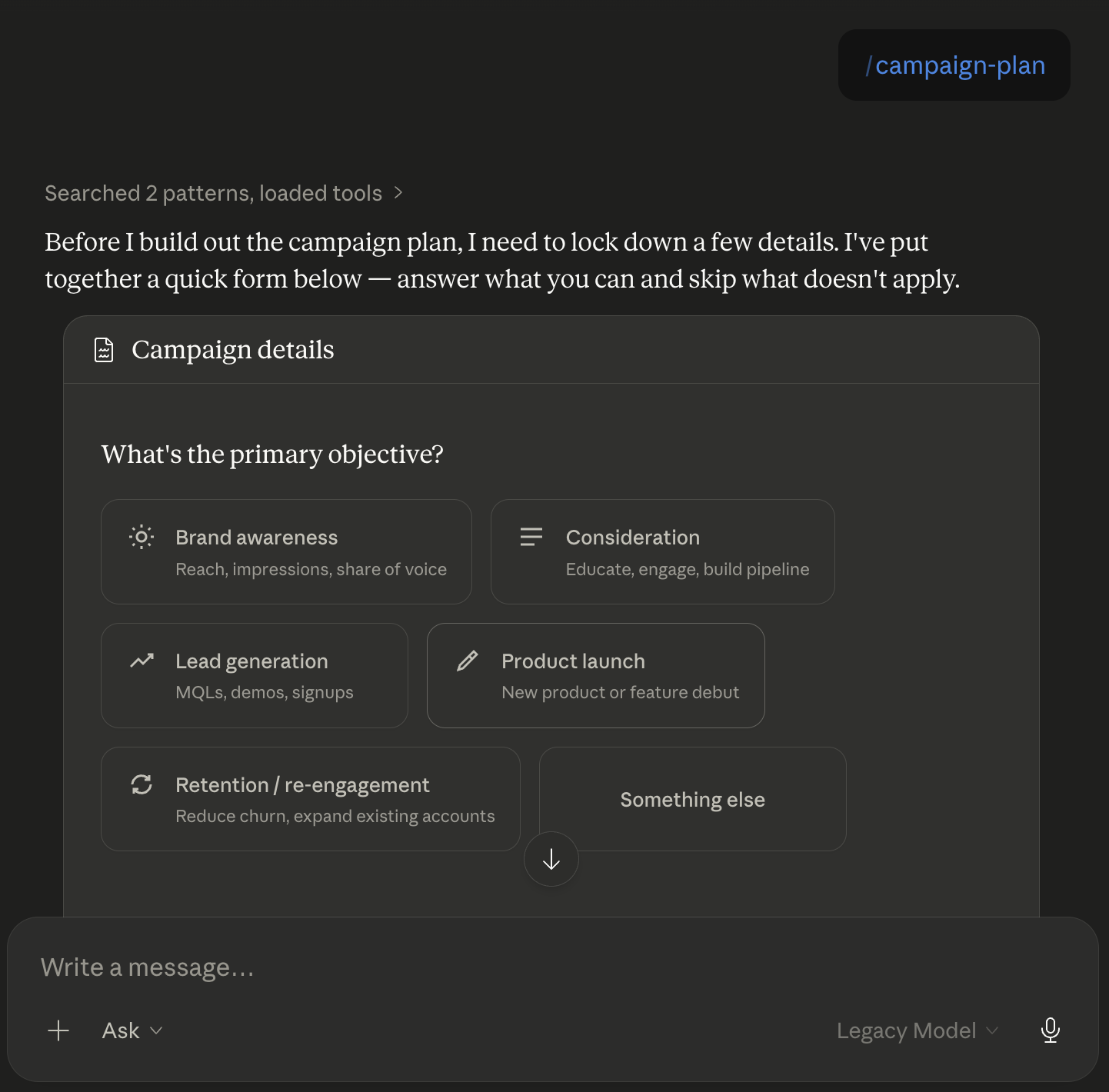
Cowork’s marketing skill started with questions. What’s the goal? Who’s the audience? What channels? What’s the budget? What’s the timeline?
That sounds obvious, but it’s easy to skip this part when you do your own marketing. I would have probably jumped straight to writing LinkedIn posts without thinking about overarching narratives, who they’re for or what I’m trying to get someone to do after reading them.
Once I answered the questions, Cowork produced a full campaign plan: audience definition, messaging, a week-by-week content calendar, what to post where, and how the pieces connected to each other.
The structure was better than what I would have built on my own. It thought about things like making sure the Substack article expanded on the LinkedIn post that came earlier that week, and making sure the offer showed up consistently without being repetitive.
The workshopping process
Even though the plan was great, it was a starting point, not a finished product. What made it even more powerful was the back and forth with Claude.
I’d look at a LinkedIn post draft and say “this is too long” or “the premise is actually wrong, here’s what really happened.” Cowork would adjust. It felt less like using a tool and more like working with someone. When I changed the case study in one post, it updated the Substack article and the cross-promo post to match without me asking. When I swapped a post topic for a sensitive reason, it suggested alternatives that still fit the campaign’s overall arc.
What Cowork did well
Overall, I was pleased with the out-of-the-box marketing skill. It provided the necessary “push” for me to start posting consistently. The best features were:
- The strategic thinking was better than I expected. It mapped out dependencies, like making sure my LinkedIn profile and booking page were set up before the first post went live, or sequencing posts so each one built on the previous one’s topic.
- It provided guidelines I could follow, such as telling me which days to post what content. This made the marketing push feel like external deadlines that I had to hold myself to.
- It was good at following style guidelines I wrote. I have strong opinions about how I write (no AI buzzwords, no promotional language, specific patterns I avoid), and Cowork checked every piece against those rules and flagged violations. In retrospect, I would have expanded on those guidelines even more so that first drafts were closer to my liking (more on that in the next section). Note that this came about because I don’t have much existing content on which to train the model.
- The image prompts were a nice bonus. For each post, I asked it to suggest a prompt I could use in an image generator to create a matching visual, based on some ideas I had. Easy, and it turns out Claude writes better prompts than I would.

Where it needed some help
I had to tailor Cowork’s content in three main ways:
- Getting it to write concise pieces of content. In general, I find AI-generated content to be exceedingly verbose, so it took a fair amount of manual editing and several iterations before Cowork internalized that I wanted shorter pieces from the first draft. In retrospect, this is something I would include in a project/style guidelines document that it can refer from the get-go.
- Some of the facts were wrong! In one post, Cowork described a client project in a way that didn’t match what actually happened. The structure of the story was right but the details were off. I had to correct the premise and have it rewrite from my version of events.
- The tone took calibration. This was expected: since I didn’t have that much content to train it on, early drafts sounded like a generic marketing consultant.
The results
- The good news: the campaign got more visibility than I had before. More profile views, more engagement on posts, more Substack subscribers. The conversations were better quality too, because the content was specific enough to attract people with the right problems. Having Claude draft posts for me really helped get me into a rhythm of posting more consistently.
- The bad news: it didn’t land me a new client in three weeks. That was the original goal, but honestly, it makes sense as the timeline was pretty aggressive. Marketing for a small consultancy is a long game, and three weeks is really just getting started.
What I’d do differently
- Run the campaign longer: three weeks felt like it was just gaining momentum when it ended. The posts that performed best were in the second and third week, once the audience had seen a few pieces and the positioning was familiar.
- Use LinkedIn/Substack’s scheduling features more frequently to batch the content creation: I was writing posts one at a time, which worked but was slower than it needed to be and put me at risk of missing a deadline.
Is it worth it?
For a small business doing its own marketing, yes. Cowork won’t replace a senior marketing strategist, but it’ll get you 80% of the way to a coherent plan. The alternative for most small businesses is no plan at all, just posting when you remember to.
The pre-built marketing skill is what makes it work. Without the structured workflow, you’d just be chatting with an AI about marketing, which is fine but not the same thing. The skill forces the right questions upfront and produces something you can actually execute.
If you’re running a small business and your marketing has been “post something on LinkedIn when I think of it,” this is a real upgrade.
How to get started
If you want to try it yourself, the setup takes about five minutes.
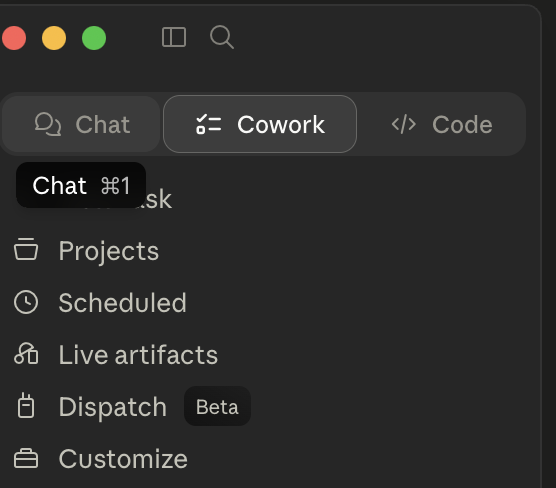
- Download Claude Desktop from claude.ai/download and sign up for a Pro plan ($20/month). Open the app and switch to Cowork mode using the toggle in the top left corner.
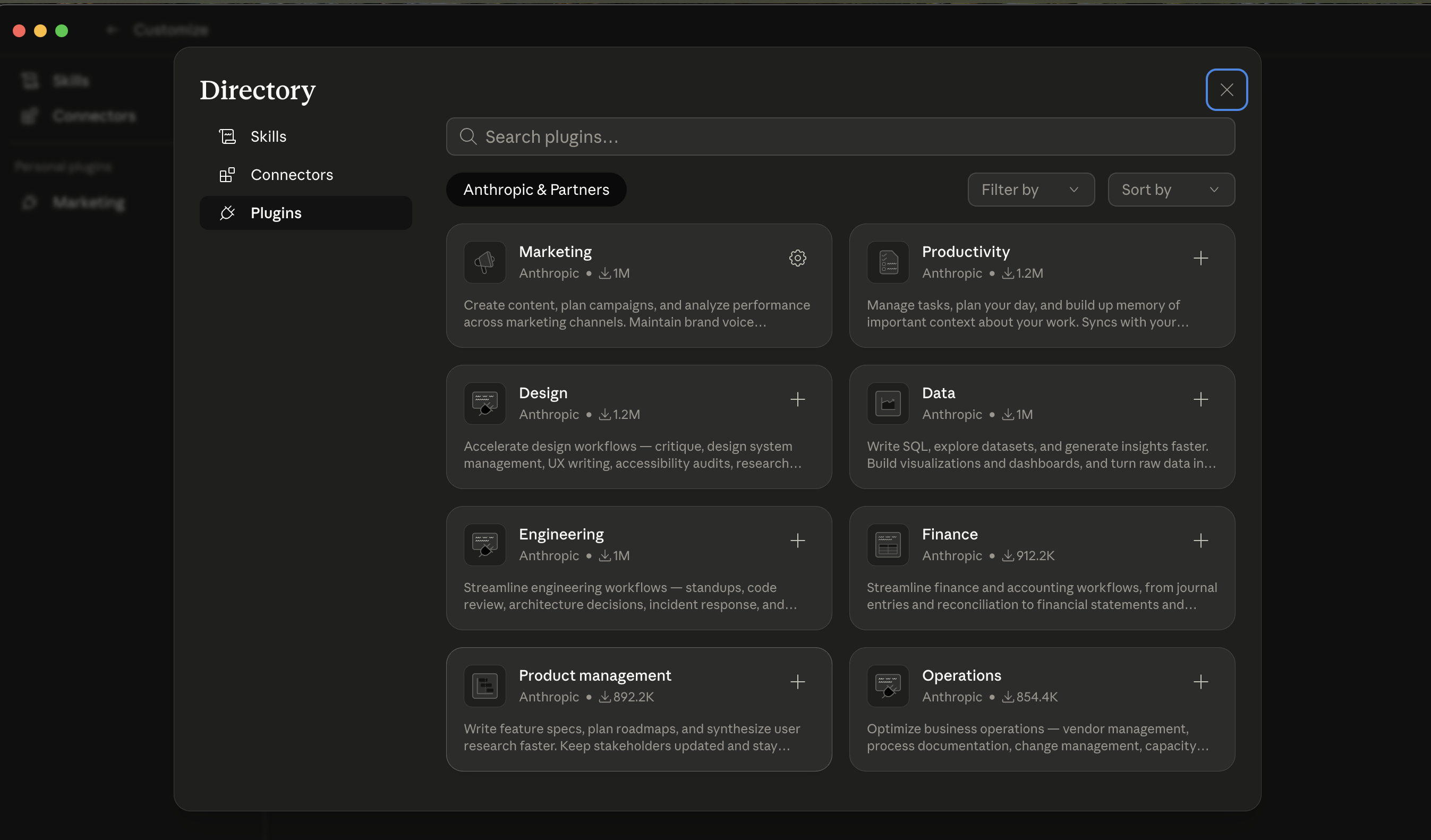
- Browse the available skills by typing /setup-cowork or going to Customize > Browse plugins. Look for the marketing plugin, which includes skills for campaign planning, content creation, and more.
- To start a campaign plan, type /campaign-plan. Cowork will begin asking you structured questions about your goals, audience, channels, and timeline. Answer them and it builds the plan from your responses.
From there, the conversation becomes a working session where you refine the plan together.